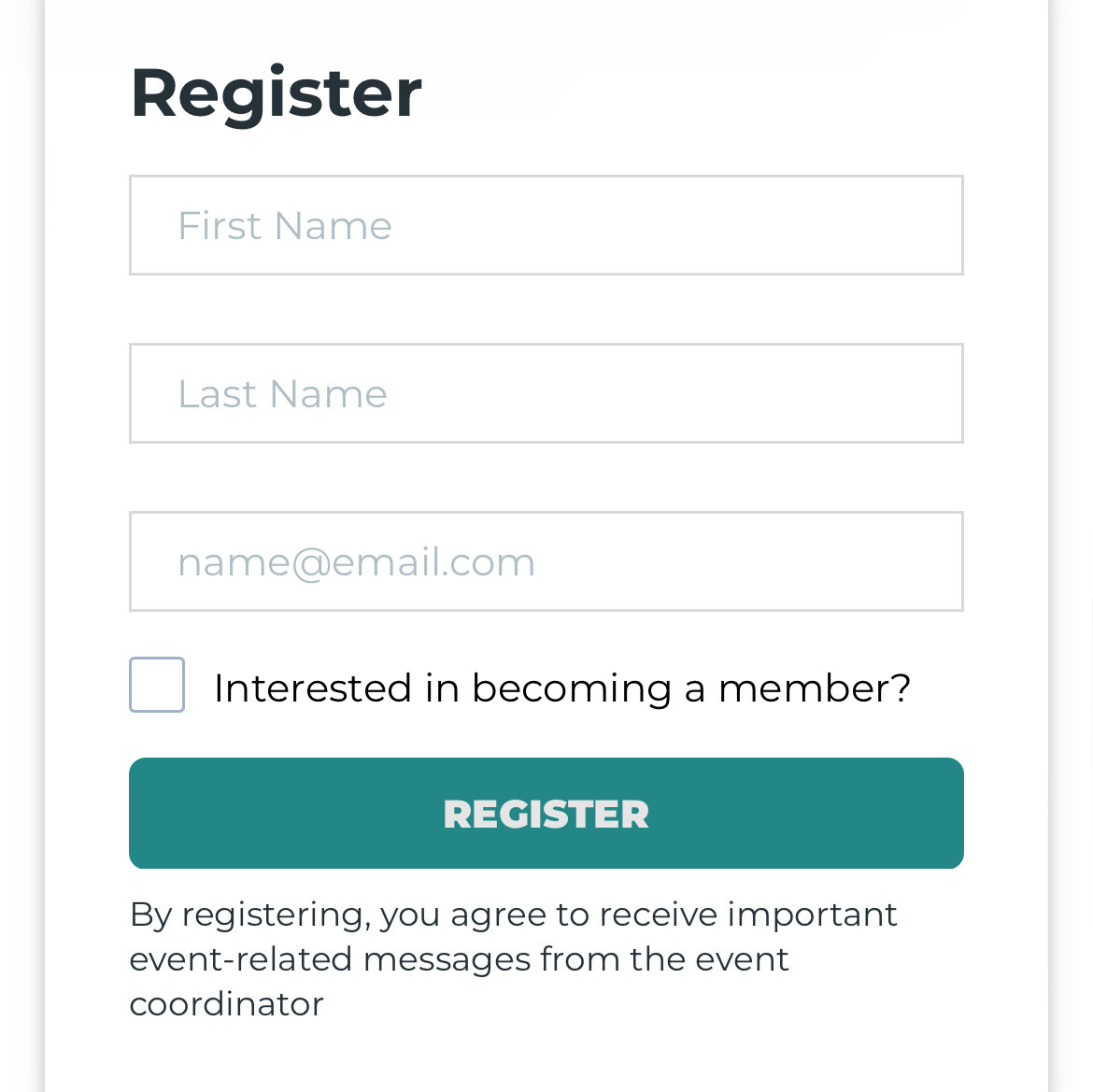

IMPORTANT: How to register for CEI events.
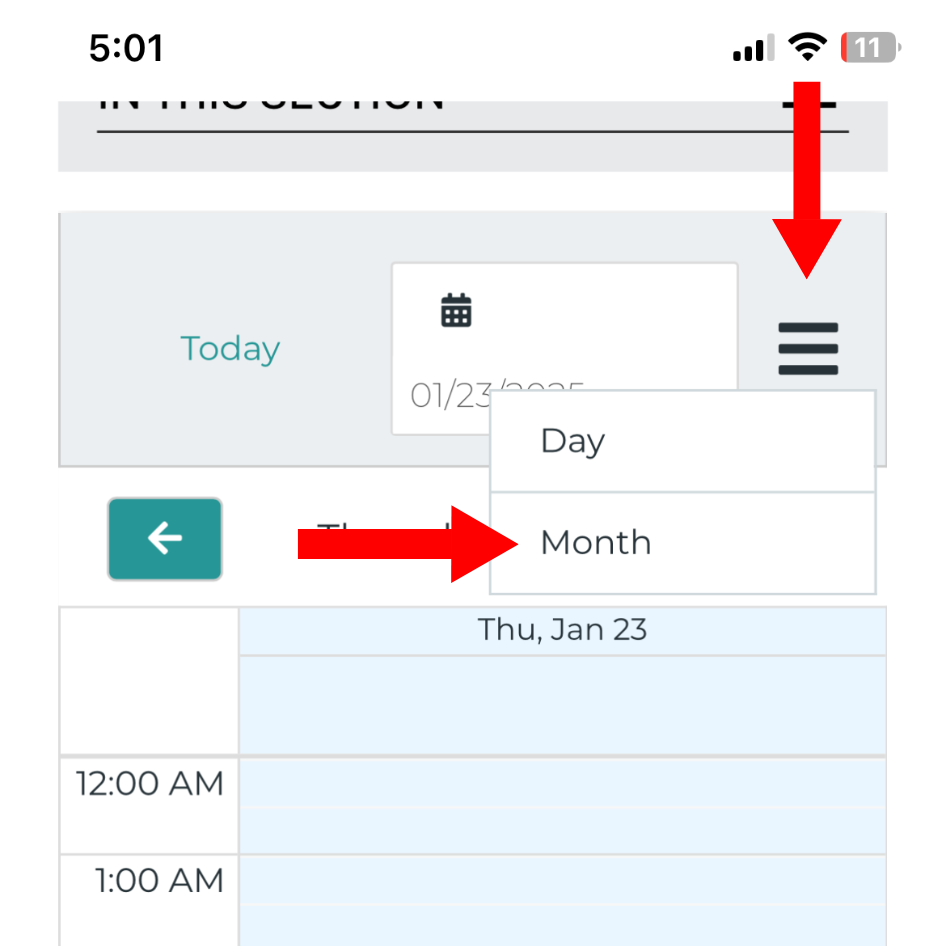
Step 1: Switch over to the month format in your calendar. The red arrows show where you should go to. (This is mainly for the mobile app version, if you’re using a computer and can do this easily, you can skip this step).
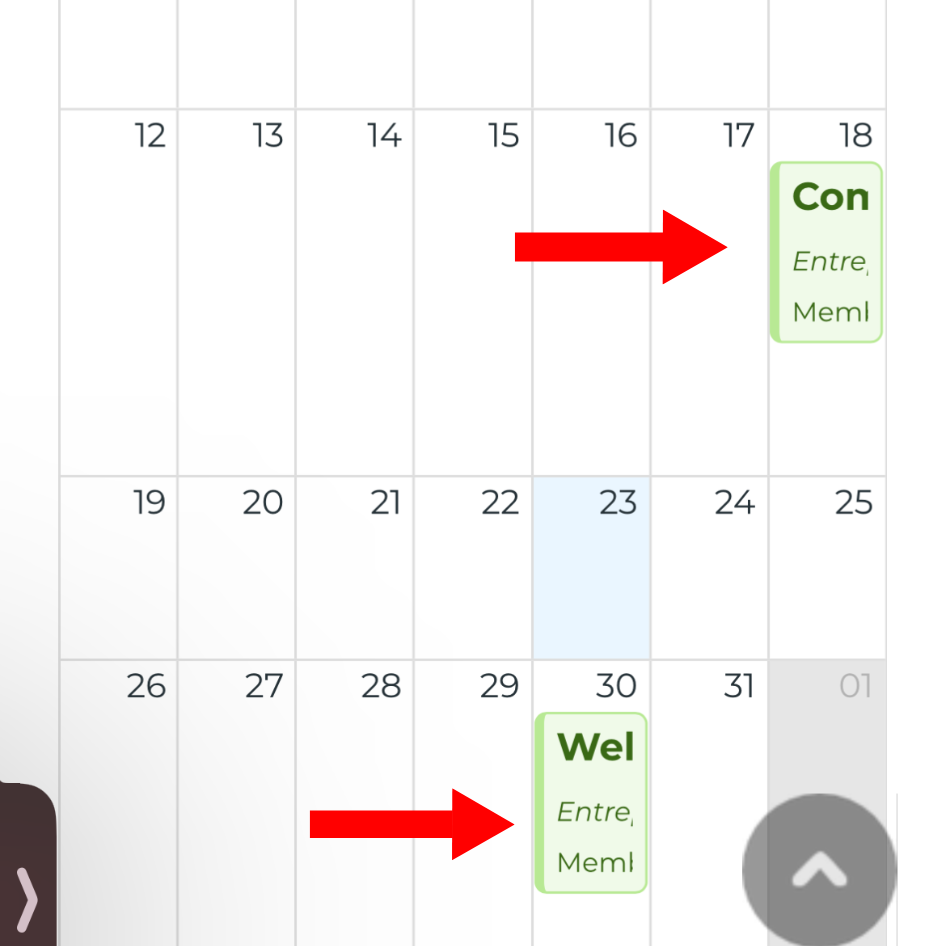
Step 2: Click on preferred event. The picture below shows examples of events. You can only register for events one after the other.
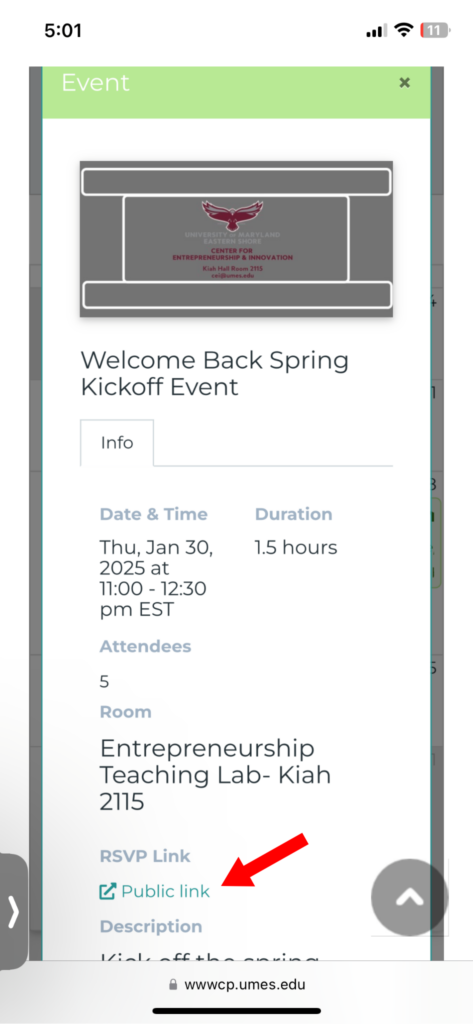
Step 2: Scroll down on the page that gives more information about the event and click on the RSVP Link. After clicking on the link, you should be redirected to another page where you would register for the event.
Step 3: Follow the instructions for registration by filling out the details in the short form at the bottom of the page. After this step, you have officially registered for the event and can now attend!